
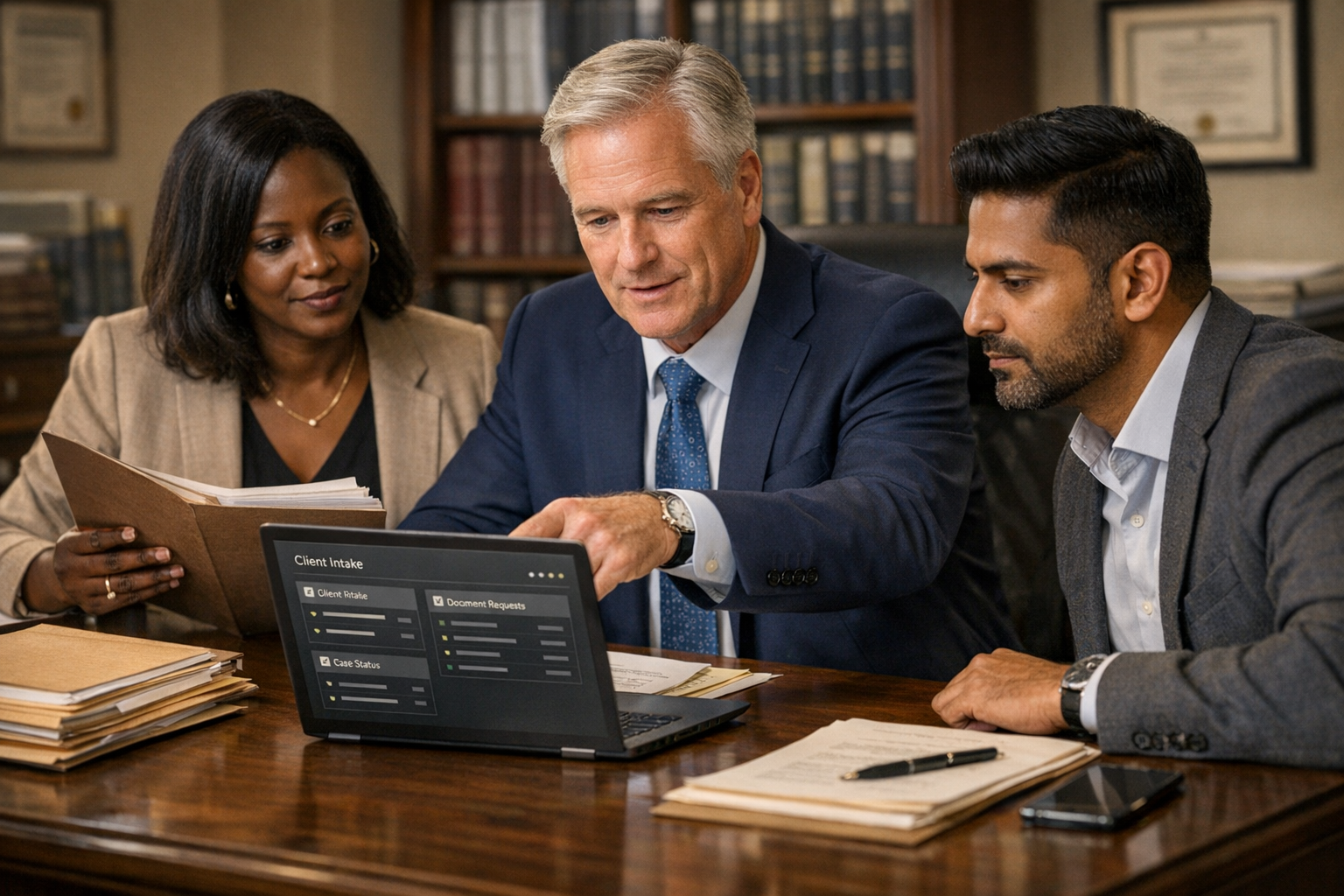
A legal team can receive hundreds of pages and still not have a usable matter record. Attachments arrive with vague filenames. Signed and unsigned versions sit together. Dates conflict. A client refers to “the agreement” without saying which one. An attorney spends expensive time finding a clause that an organised workflow should have surfaced before review began.
Generative AI makes document analysis look easy. Upload a file, ask for a summary and receive confident prose. In legal work, confident prose without source control, confidentiality safeguards or professional review is not efficiency. It is risk.
An AI legal document review assistant South Africa firms can use responsibly should not act as an unsupervised lawyer. It should organise evidence, extract defined information, compare documents, identify gaps, link every material observation to its source and prepare the work for qualified human judgement.
What an AI legal document review assistant actually does
A managed review assistant supports a controlled process around a defined matter, document set and legal-team instruction. Depending on the approved scope, it can:
- register incoming documents against a matter
- detect unreadable, incomplete, duplicated or password-protected files
- classify documents using a firm-approved taxonomy
- preserve originals and create searchable working copies
- extract parties, dates, amounts, references and defined fields
- link every extracted fact to a page, clause or source file
- distinguish signed, draft, amended and superseded versions
- compare document versions and describe changed language
- build a chronology from source-linked events
- check a bundle against an approved index or request list
- flag missing annexures, schedules, signatures or referenced documents
- identify clauses or terms matching an approved review playbook
- prepare questions for attorney review
- group potentially relevant documents for a defined issue
- detect conflicts between records without deciding which is true
- prepare a first-pass matter or document summary
- create a privilege or sensitivity review queue for authorised humans
- redact defined information in draft mode
- prepare a review log and exception report
- preserve approved legal-team corrections in the Company Brain
It should not decide the client’s legal rights, determine privilege autonomously, conclude that a clause is enforceable, choose litigation or transaction strategy, make a final relevance decision, advise the client, file a document, waive a right or send substantive legal communication without authorised professional approval.
The role is preparation and review support. Legal judgement stays with qualified humans.
Where legal document review loses capacity
The visible work is reading. The hidden cost is everything required to make the reading reliable.
Common breakdowns include:
- documents arriving through several inboxes and messaging channels
- client files named “scan”, “final” or “agreement new”
- duplicates treated as separate evidence
- attachments separated from the message that explains them
- scanned pages with poor text recognition
- missing pages or annexures discovered late
- unsigned drafts mixed with executed documents
- amendments not linked to the base agreement
- different reviewers creating different classifications
- key facts copied manually into spreadsheets
- summaries that do not cite their sources
- names, dates or amounts repeated incorrectly
- reviewers searching the same bundle for similar issues
- junior staff rebuilding chronologies from scratch
- attorney comments trapped in email
- old precedents applied without checking current approval
- sensitive files uploaded to unapproved tools
- matter teams unable to see what has been reviewed
- review decisions not captured for later quality checks
- clients paying professional rates for avoidable document administration
An AI Admin Assistant can remove part of this load. It cannot decide what matters legally. The implementation must draw a hard line between document preparation, factual extraction, legal analysis and advice.
Measure the annual document-review bleed
The value case should start with the firm’s evidence rather than generic claims about AI productivity.
Measure over 12 months:
- matters containing material document-review work
- documents and pages by matter type
- partners, attorneys, candidate attorneys, paralegals and administrators involved
- intake, renaming, conversion and indexing hours
- time spent finding missing or correct versions
- duplicated review effort
- time spent extracting repeated factual fields
- chronology preparation hours
- bundle and index preparation hours
- summaries returned because sources were missing
- review corrections by type
- urgent work caused by late document discovery
- client queries required to repair incomplete submissions
- write-offs linked to repetitive review administration
- delays to advice, transaction, discovery or filing milestones
- time spent creating status reports
- confidentiality or access incidents
- software and outsourced review cost
- senior legal time used for work that could have been prepared safely
Do not assume every reading hour can be removed. Professional review remains necessary. The strongest initial case is often reduced preparation time, fewer missed documents, better source traceability, faster matter visibility and more consistent first-pass work.
The paid AI Opportunity Audit maps that bleed, identifies a narrow review family, tests information controls and defines where human legal judgement must remain decisive.
Choose the review task before choosing the model
“Review our legal documents” is not a safe or testable instruction. The firm must define the job.
Possible first jobs include:
- extract a fixed set of fields from one agreement family
- compare two versions and cite every material wording change
- check a transaction bundle against an approved closing checklist
- check a discovery production against an agreed index
- organise correspondence into a source-linked chronology
- identify missing signatures, annexures and referenced documents
- screen documents for terms on an attorney-approved playbook
- create a draft matter summary from a controlled record
- prepare a human privilege-review queue using narrow criteria
- draft redactions for specified personal information
Each job needs a purpose, input boundary, output format, source standard, reviewer, escalation rule and success measure.
A broad model prompt cannot replace that design. If the firm cannot explain what a competent junior reviewer should produce and what requires escalation, the workflow is not ready to automate.
Map the current document journey
Follow several real matters from receipt to approved legal output.
Map:
- Who sends the documents?
- Through which channels may they arrive?
- How is the correct client and matter confirmed?
- Where is the original stored?
- How are attachments linked to covering correspondence?
- How are duplicates and versions identified?
- Who checks readability and completeness?
- Which taxonomy and naming rules apply?
- Which people may access the matter?
- What review question has the legal team authorised?
- Which law, precedent, policy or playbook may be used?
- How is source support recorded?
- What must be escalated immediately?
- How are reviewer decisions logged?
- Who checks the assistant’s output?
- Who decides relevance, privilege, risk and strategy?
- What may be shared with the client or another party?
- How are redactions checked?
- How are corrected findings preserved?
- What closes, archives or deletes the working material?
Include the workarounds. If the team uses a private spreadsheet because the matter system is slow, that is part of the risk and the design.
Build the Company Brain behind controlled review
A generic model does not know the firm’s approved document taxonomy, matter conventions, playbooks, client terms, professional boundaries or escalation triggers.
A Company Brain for legal document review can hold:
- document classes and naming rules
- matter and client identifiers
- source hierarchy
- version and execution-status definitions
- approved extraction schemas
- bundle and index templates
- chronology format
- citation requirements
- attorney-approved issue checklists
- clause playbooks for defined work types
- definitions of material exceptions
- privilege and confidentiality procedures
- redaction standards
- access and sharing rules
- retention and disposal instructions
- quality thresholds
- escalation paths
- approved examples of good work
- known failure modes
- reviewer corrections approved for reuse
The Brain must separate general firm procedure from matter-specific facts. A finding from one client cannot leak into another matter’s answer. Access boundaries are part of the knowledge architecture, not an optional security layer added later.
The client should own its taxonomies, playbooks, templates, decisions and improvement history. Vendor models can change. The firm’s governed operating knowledge must remain readable and portable.
Preserve originals, versions and provenance
Document review fails when the workflow cannot prove what it reviewed.
A defensible record should retain:
- the original submitted file
- original filename and source channel
- sender or uploader where authorised
- receipt time
- matter association
- file hash or another approved integrity control
- conversion or text-recognition history
- page count
- language
- duplicate and version relationships
- signed or draft status where verified
- extracted facts with source locations
- assistant output version
- human reviewer and decision
- amendments and approval timestamps
A searchable copy is not the original. A summary is not the document. Extracted text is not necessarily accurate. The system should preserve those distinctions.
When a scan is poor, the assistant must flag the page rather than filling the gap from context. “Unreadable amount on page 14” is a safe exception. A plausible invented amount is not.
Require source-linked outputs
Every material finding should answer: where did this come from?
A useful output might say:
Termination notice: Clause 12.2 states 30 calendar days’ written notice. Source: Services Agreement, signed version dated 6 March 2025, page 11. Amendment 1 changes clause 8 only. Attorney review required to assess application and enforceability.
A weak output says:
The agreement can be terminated on 30 days’ notice.
The first preserves document identity, location, qualification and professional boundary. The second sounds like advice and hides uncertainty.
For structured extraction, record:
- value extracted
- source document
- page, paragraph, clause or table
- exact quotation where useful
- confidence or quality exception
- conflicting evidence
- reviewer status
Source-linked output makes review faster and creates evidence for quality measurement.
Compare versions without losing legal meaning
Document comparison is a strong AI use case only when the system preserves exact text.
The assistant can:
- identify likely base and revised versions
- compare clause numbering and text
- detect added, deleted and moved language
- group formatting-only changes separately
- identify changed names, dates, values and definitions
- link amendment language to the affected clause
- prepare a concise change schedule
- flag changes matching an approved issue list
It should not decide whether a change is material in law unless an attorney-approved playbook defines a narrow classification and a professional still reviews the result.
The reviewer needs both the machine-readable change and the original context. A changed defined term can affect provisions far beyond the edited clause. The assistant should surface dependencies, not declare the consequence resolved.
Use legal playbooks carefully
A playbook can make routine review more consistent. It can also create false confidence when applied outside its intended scope.
Each playbook rule should state:
- document and transaction type
- jurisdiction or context approved by the firm
- client or practice applicability
- clause or issue being tested
- preferred position
- acceptable fallback positions
- prohibited position if applicable
- information required before classification
- escalation trigger
- required source citation
- author and approval date
- review date
The assistant applies the rule; it does not invent it. If the agreement type, context or wording falls outside the rule, the output should say so and escalate.
An old precedent folder is not automatically an approved Company Brain. The firm must decide what is current, safe and reusable.
Keep privilege and relevance decisions human
AI can help create review queues, but final privilege and relevance decisions can carry serious consequences.
A controlled workflow may:
- identify documents involving listed people or entities
- find terms linked to a defined legal issue
- group near-duplicate email chains
- detect possible legal-advice indicators
- prepare a candidate privilege queue
- flag mixed business and legal communications
- surface documents with uncertain classification
Authorised legal professionals should decide the final status, apply matter-specific law and strategy, and approve any production or withholding decision.
The workflow must be designed around false negatives as well as false positives. Missing one sensitive document can matter more than reviewing ten extra candidates.
Protect confidentiality, POPIA duties and matter boundaries
Legal documents may contain identity details, financial records, health information, allegations, trade secrets, privileged advice and information about third parties. Staff should never upload matter files to an unapproved public AI tool merely because it is convenient.
A responsible workflow uses:
- approved providers and contractual terms
- clear operator and responsibility roles
- purpose-limited processing
- matter-level access controls
- minimum necessary document sets
- encryption in transit and at rest
- approved storage regions and transfer arrangements
- restrictions on provider training or reuse
- retention and deletion controls
- audit logs
- secure redaction review
- incident response
- human approval before external disclosure
- tested separation between client matters
A POPIA-safe AI workflow is not created by one privacy setting. The firm must assess purpose, lawful processing, notices, operators, safeguards, data-subject rights, retention and cross-border implications with appropriate professional input.
Confidentiality and privilege analysis must also be addressed separately from POPIA. Compliance with one framework does not settle every professional obligation.
Handle South African languages and poor scans honestly
South African matters may include English, Afrikaans and other languages, handwritten notes, stamped copies, faded scans, photographs and documents created across different systems.
The assistant should record:
- detected language
- whether translation was requested
- the original passage
- translated working text clearly labelled
- text-recognition quality
- pages requiring human transcription
- tables or signatures that were not reliably captured
- terms that should remain untranslated
Machine translation can support navigation and preparation. Where wording carries legal significance, the authorised team should obtain or approve the appropriate translation.
The system must not hide low-quality text recognition behind a fluent summary. A polished answer built on a misread date is still wrong.
Launch with a narrow, measurable working interview
Do not begin with all practice areas and every historical file.
A practical pilot can:
- choose one repeatable document family or bundle task
- define the authorised review question
- select a small, representative historical test set
- establish the source and version controls
- configure the extraction schema or playbook
- run the assistant without affecting live client work
- compare every finding with human-reviewed ground truth
- move to draft mode on selected current matters
- require professional approval for all substantive outputs
- record errors, corrections, uncertainty and time spent
Measure:
- document classification accuracy
- required-field completeness
- source-citation accuracy
- missed and false issue flags
- version identification accuracy
- chronology correction rate
- unreadable-page detection
- attorney review time
- preparation time reduced
- unauthorised-access attempts
- reviewer confidence and adoption
A good pilot does not merely show that the assistant can summarise a contract. It proves that the workflow knows its scope, cites evidence, escalates uncertainty and keeps the legal team in control.
What the 30-day working interview should prove
Shadow: The assistant processes a representative set and is scored against completed professional work.
Draft: It prepares source-linked outputs for a named reviewer but cannot send, file or finalise anything.
Controlled action: It may classify, rename or populate narrowly approved internal fields when reliability and rollback are proven.
Go-live sign-off: The firm approves the role, information boundary, playbook, access, review standard, escalation rules and monthly measures.
The assistant should remain in draft mode for any task where errors can materially affect rights, obligations, disclosure, strategy or client advice.
Questions to ask an implementation partner
Ask:
- What exact review task are we implementing?
- Which documents and matters may the assistant access?
- How are originals, versions and integrity preserved?
- Does every finding link back to a source location?
- What happens when text recognition is weak?
- How are client and matter boundaries enforced?
- Are our documents used to train a vendor model?
- Where is data stored and for how long?
- Who approves extraction rules and legal playbooks?
- Which decisions always require a qualified professional?
- How are privilege, relevance and redaction queues handled?
- Are prompts, outputs, actions and approvals logged?
- Can the firm export its playbooks, corrections and operating memory?
- How are failures reviewed after launch?
A legal AI demonstration is easy. A governed legal workflow is the product.
Start with the review bottleneck, not an AI licence
The safest high-value starting point is usually a narrow document family with repeated structure, clear source evidence and a named professional reviewer. The firm’s own workflow should determine whether extraction, comparison, bundle checking or chronology preparation creates the first visible win.
BizSage builds AI employees for law firms around the firm’s approved systems, knowledge and professional boundaries. We begin with the paid AI Opportunity Audit to quantify the annual bleed, map access and approval controls, define the review task and select a pilot that can be tested honestly.
The objective is not to replace legal judgement. It is to give qualified people cleaner evidence, faster preparation and more room for the work only they should do.
Frequently asked questions
What does an AI legal document review assistant do?
It helps authorised legal teams intake and organise documents, extract defined facts, compare versions, identify missing material, prepare chronologies and issue lists, link findings to sources, and route the work to qualified professionals for review.
Can AI give legal advice after reviewing a document?
It should not give unsupervised legal advice. AI can prepare structured analysis from approved instructions and sources, but a qualified attorney must interpret the law, assess relevance and risk, choose strategy, advise the client, and approve substantive outputs.
How can a law firm protect client confidentiality when using AI?
The workflow should use approved providers and agreements, purpose-limited access, matter-level permissions, minimum necessary data, secure transfer and storage, retention controls, activity logs, human approval, and a clear prohibition on staff using unapproved public tools with client documents.
What is a sensible first legal document review pilot?
Choose one repeatable, low-ambiguity task such as extracting fields from a standard agreement family, checking a closing or discovery bundle against a defined index, or comparing controlled document versions. Run it in shadow mode and measure completeness, source accuracy, attorney corrections, time saved, confidentiality controls, and escalation quality.
FAQs
What does an AI legal document review assistant do?
It helps authorised legal teams intake and organise documents, extract defined facts, compare versions, identify missing material, prepare chronologies and issue lists, link findings to sources, and route the work to qualified professionals for review.
Can AI give legal advice after reviewing a document?
It should not give unsupervised legal advice. AI can prepare structured analysis from approved instructions and sources, but a qualified attorney must interpret the law, assess relevance and risk, choose strategy, advise the client, and approve substantive outputs.
How can a law firm protect client confidentiality when using AI?
The workflow should use approved providers and agreements, purpose-limited access, matter-level permissions, minimum necessary data, secure transfer and storage, retention controls, activity logs, human approval, and a clear prohibition on staff using unapproved public tools with client documents.
What is a sensible first legal document review pilot?
Choose one repeatable, low-ambiguity task such as extracting fields from a standard agreement family, checking a closing or discovery bundle against a defined index, or comparing controlled document versions. Run it in shadow mode and measure completeness, source accuracy, attorney corrections, time saved, confidentiality controls, and escalation quality.